Set up once
Save every angle
Prepare the shots once, then recall them whenever the production needs them.
What CueBot makes simple
Set up once
Prepare the shots once, then recall them whenever the production needs them.
One action
A Scene can recall multiple cameras and supported actions from one trigger.
Stay flexible
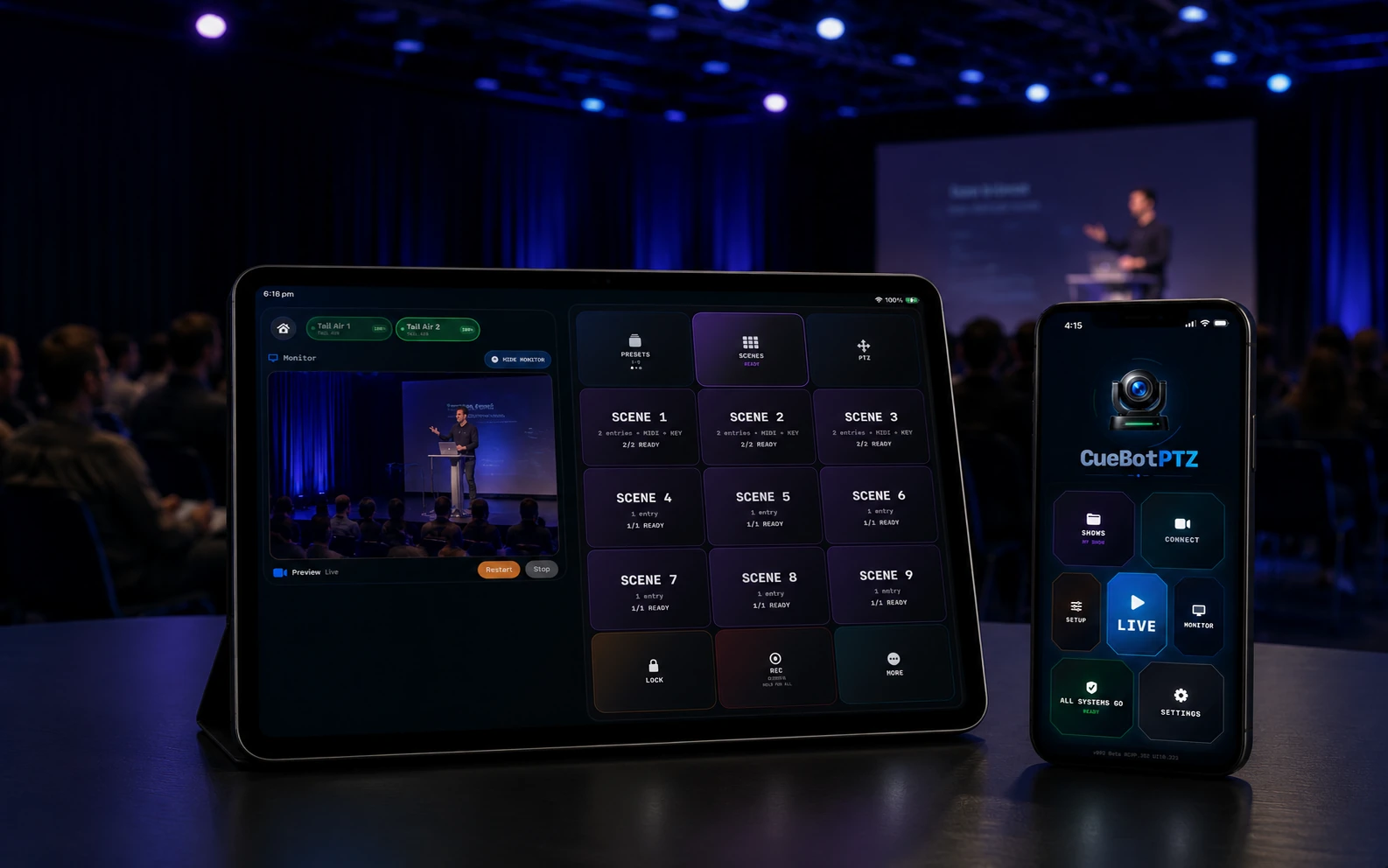
Use the LIVE deck for Presets, Scenes, PTZ, zoom, recording and rescue controls.
Know it is ready
Verify cameras, previews and enabled external controls before the production starts.

1. Set up once
Program each shot once. Recall it instantly instead of rebuilding the camera position live.

2. One cue. Multiple cameras.
One Scene recalls the prepared camera angles and supported actions together.
Pre-program the complexity
Choose the cameras, shots and supported actions once. During the production, the operator only needs the Scene.
3. Run it live
Use a clear LIVE deck for the controls you need during the production—without returning to setup.
Your complete camera control surface—wherever you are in the room.


4. See it. Check it. Go live.
Monitor the production, keep other cameras visible and catch problems before they become show problems.
Preview availability depends on the camera, NDI activation and local-network configuration. Learn more about NDI®
Trigger it your way
Build the camera cue once, then run it from the control method that fits your production.
Run Presets and Scenes directly from the LIVE deck on iPhone or iPad.
Trigger camera Scenes from the show file and verify the link before the performance.
Map a message to a Scene and verify it with a real incoming MIDI command.
Map supported buttons for fast, presenter-operated or hands-free camera cues.
Lite vs Pro
CueBot Lite is a complete paid single-camera product. CueBot Pro is an optional one-time upgrade for multi-camera shows and advanced production control.

Introductory price · first 30 days · one-time App Store purchase
A complete single-camera controller—not a limited trial.
Best for: one-camera creators, presenters and simple live setups.
Introductory price · first 30 days · one-time in-app upgrade
Adds the complete multi-camera and show-control workflow.
Best for: performers, venues, AV teams, churches, conferences and production crews.
During the first 30 days after public launch, CueBot Lite is A$29.99 and the optional CueBot Pro upgrade is A$69.99. Full Pro ownership is A$99.98 during launch. Standard Australian pricing will then be A$39.99 for Lite and A$79.99 for Pro—a total of A$119.98. There is no subscription, and Lite continues working permanently if you never upgrade.
Planned Australian introductory pricing. Launch pricing applies for the first 30 days after public release. Other countries may vary due to Apple storefront conversion, local taxes and regional price tiers. TestFlight beta access remains free during testing.
Common questions
CueBot PTZ is currently in active Apple TestFlight beta. Public App Store release preparation is underway.
For the first 30 days after public launch, CueBot Lite is planned at A$29.99 and permanently includes one-camera control, all 27 Presets, the LIVE preset deck, preview, recording, reconnect and core readiness tools. CueBot Pro is an optional A$69.99 one-time in-app upgrade that adds multiple cameras, Scenes, multiple Shows, external control, backup and advanced production tools. Total Pro ownership during launch is A$99.98. Standard Australian pricing after the launch period is planned at A$39.99 for Lite and A$79.99 for Pro, or A$119.98 total. There is no subscription.
No. CueBot PTZ is an independent application and is not affiliated with, endorsed by or sponsored by OBSBOT.
A normal PTZ controller moves a camera. CueBot saves the angles, coordinates multiple cameras in Scenes, gives you a dedicated LIVE deck and checks that the production is ready.
No. CueBot adds a live-production control workflow. Camera firmware management and some deeper configuration may still be performed with OBSBOT software.
Discover compatible cameras on the local network or add them by IP. CueBot can save camera names, order and Show information for later use.
NDI® is used for supported in-app preview workflows. Control features can use other supported network methods, but preview availability depends on the camera, network and any required NDI activation.
Not currently. The active beta is focused on iPhone and iPad.
Active TestFlight beta
Set up once. Run multiple angles with one action. Know the system is ready before you go live.
